
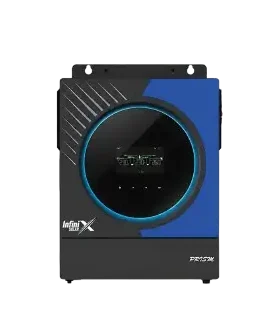
If you’ve ever scrolled through your hybrid inverter’s settings, you’ve probably seen options like SBU, SUB, SOL or UTI and wondered which one the installer picked, and why. This one setting has a surprisingly big effect on your bill and your battery’s life.
- SBU (Solar, Battery, Utility): most solar use, best for cutting the bill.
- SUB (Solar, Utility, Battery): keeps the battery full for load shedding.
- Utility first: grid runs the house, solar mostly charges the battery.
- Names differ by brand, so check your manual for the exact labels.
Different brands use slightly different names, but the idea is the same everywhere: the inverter has three sources (solar, battery and the grid) and the mode tells it which to use first.
SBU: Solar first, then Battery, then Utility
The house runs on solar. If solar isn’t enough, the battery fills the gap. Only when the battery reaches its low limit does the inverter switch to the grid.
Good for: getting the most out of every unit your panels make, and cutting the bill as much as possible. In the evening, your battery runs the house instead of expensive grid units.
Watch out for: if night load shedding is long and the battery was already used in the evening, you may have little backup left at 2 am. Set the “back to grid” voltage or percentage sensibly so some charge is kept in reserve.
SUB: Solar first, then Utility, then Battery
The house runs on solar. If solar isn’t enough, the grid fills the gap. The battery is kept charged and only used when the grid goes off.
Good for: areas with heavy, unpredictable load shedding where you want a full battery ready at all times. The battery also cycles less, which can extend its life.
Trade-off: you’ll buy more grid units in the evening, so savings are lower than SBU.
Utility first
The grid runs the house whenever it’s available. Solar mostly goes to charging the battery or, on some models, is barely used. This is basically “UPS mode with solar charging.”
Good for: very few situations today. Sometimes used temporarily if there’s a problem with the panels or in very cloudy weeks.
What we usually recommend
| Your situation | Suggested mode |
|---|---|
| Little load shedding, want lowest bill | SBU |
| Long or unpredictable load shedding | SUB, or SBU with a higher reserve level |
| Battery is old or weak | SUB, to cycle it less |
| No battery installed | Solar first with grid backup |
Two other settings that matter
Charger source priority. This decides whether the battery charges from solar only, or from solar and grid. “Solar only” saves money. “Solar plus utility” makes sure the battery is full before an expected outage. In winter, when sun is weak, some people switch to solar plus utility for a few weeks.
Back-to-grid and back-to-battery levels. These decide at what battery level the inverter switches to grid and when it returns to battery. With lithium, setting these by percentage (if your inverter talks to the BMS) is more accurate than voltage.
Change one thing at a time
If you experiment, change one setting, watch your app for two or three days, then decide. Keep a photo of the original settings so you can go back. And never change battery type or voltage settings unless you’re sure, wrong values can damage the battery.
For more on making the most of solar under net billing, read is solar still worth it after net billing.
Not sure which mode your inverter is in?
Send a photo of the settings screen and tell us your load shedding hours. We’ll suggest the right mode.